
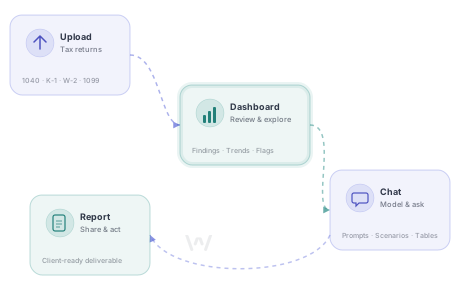
From the second you upload your first 1040, Worthy is designed to save you time and make it easier to illustrate tax concepts and potential strategies. But having the right approach can help you get from insights to action a lot more quickly.
Here are some key best practices for getting the most out of Worthy's dashboard, chat, calculators, and report builder.
Start with the dashboard, then go deeper
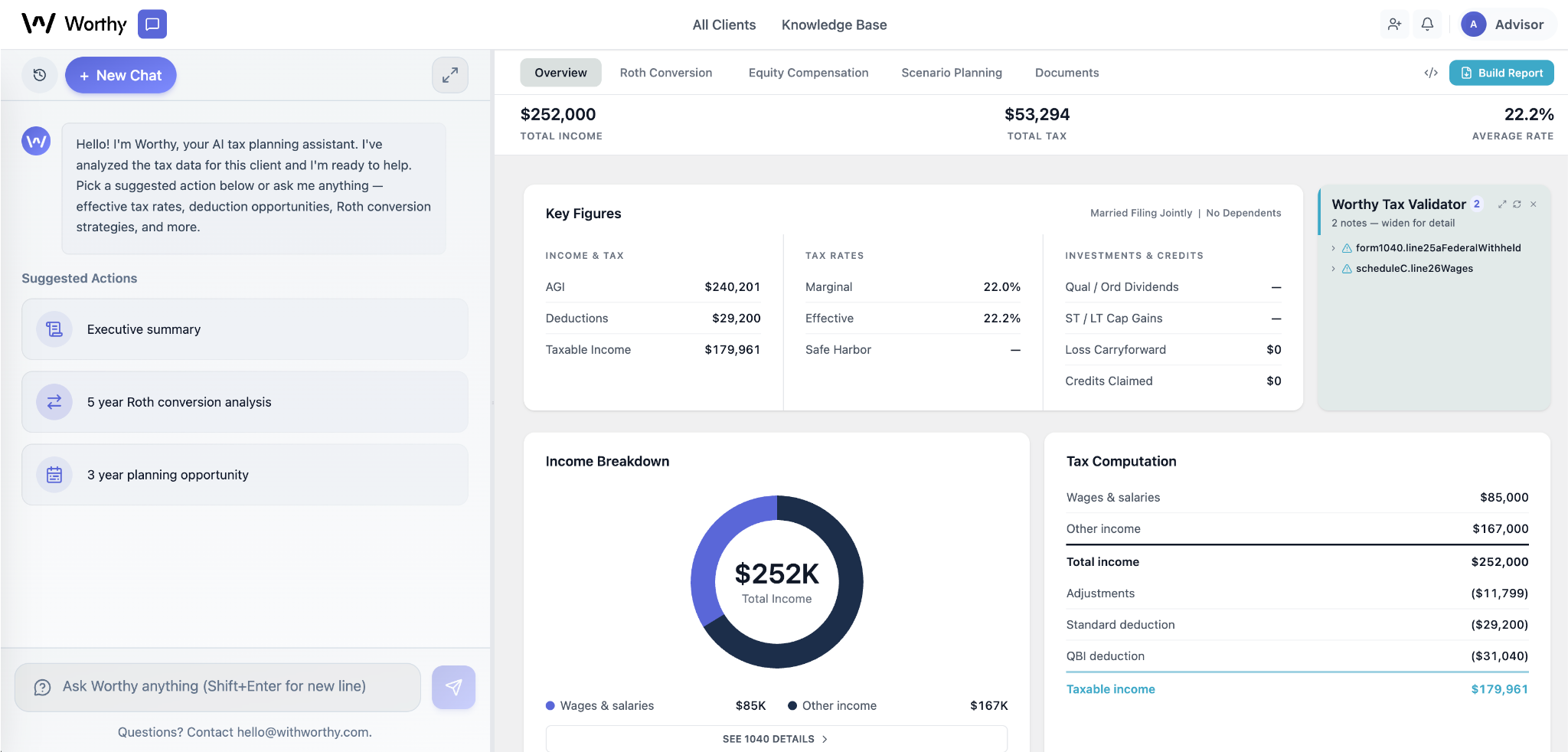
When you open a client in Worthy, the dashboard is your starting point. It surfaces key tax information, potential opportunities, and year-over-year trends without requiring you to comb through a single tax form.
Before jumping into chat or a calculator, take a minute to look at what's already there.
It's a great way to get a handle on the big picture for new clients or prospects.
And for existing clients, the dashboard can help identify any big changes (or possible mistakes). Has Worthy flagged any inconsistencies or potential errors? Do the top-level numbers look right to you?
If there are any surprises, it's a natural place to start your analysis.
Offer more context to get better answers
Worthy knows everything in the tax documents you upload, but it doesn't know what's in your head. The more context you provide, the more useful its analysis will be.
Consider sharing some of the following with Worthy's chat:
- The age of clients and dependents
- Anticipated changes in income, employment, or filing status
- Life events that may not have shown up on last year's return (a divorce, a move, a new business)
- Planning actions already taken during the year, like Roth conversions, tax-loss harvesting, or charitable gifts
- Any assumptions you want Worthy to use in its models
You don't need a form or any structure for this step. Just type any background details into the chat like you'd do it in an email to a colleague. Or you can cut and paste in any client notes you've taken.
Worthy will remember everything you tell it and give client-specific answers going forward.
To make it easier to identify opportunities, adding additional tax returns to Worthy is very important. One return is a nice starting point, but multiple returns helps Worthy identify trends and outliers.
Having returns for most or all of your clients can also make cross-book queries incredibly useful. For example, you'll have the ability to ask questions like "Which clients have income from a K-1?" or "Which clients moved to a lower tax bracket this year?"
Use chat to model, not just to ask
Worthy's chat is good at answering questions, but it can be most useful exploring different scenarios. Whenever you're assessing an opportunity (like a Roth conversion, an entity structure change, or a retirement timeline) ask Worthy to show its work.
A few queries that help:
- Ask for side-by-side comparisons. "Show me a table comparing taxes under a $50K vs. $100K conversion" is more useful than "should I convert $50K or $100K?"
- Push back and refine. If the first answer is close but not quite right, adjust the assumptions and ask again. Worthy remembers everything in the conversation, so you never have to start over.
- Ask Worthy what it needs. When you're working through a planning scenario, try: "Is there anything else it would be helpful for you to know?" It'll flag gaps in the analysis and prompt you to fill them in.
- Ask for plain language explanations. Once you've identified a topic you'd like to explore more, ask Worthy to restate it in plain language your client can understand.
Not sure where to start? Worthy's chat includes several built-in query prompts to help start the conversation. If it helps, we also pulled together a library of our favorite queries.
We also have fake tax returns for several hypothetical clients if you want to experiment with dummy data. Find them here.
Let the calculators do the heavy lifting
For Roth conversions and equity compensation scenarios, Worthy's built-in calculators give you a rigorous, auditable starting point. And once you run a basic calculation, you can use chat to customize the analysis for your client's specific situation.
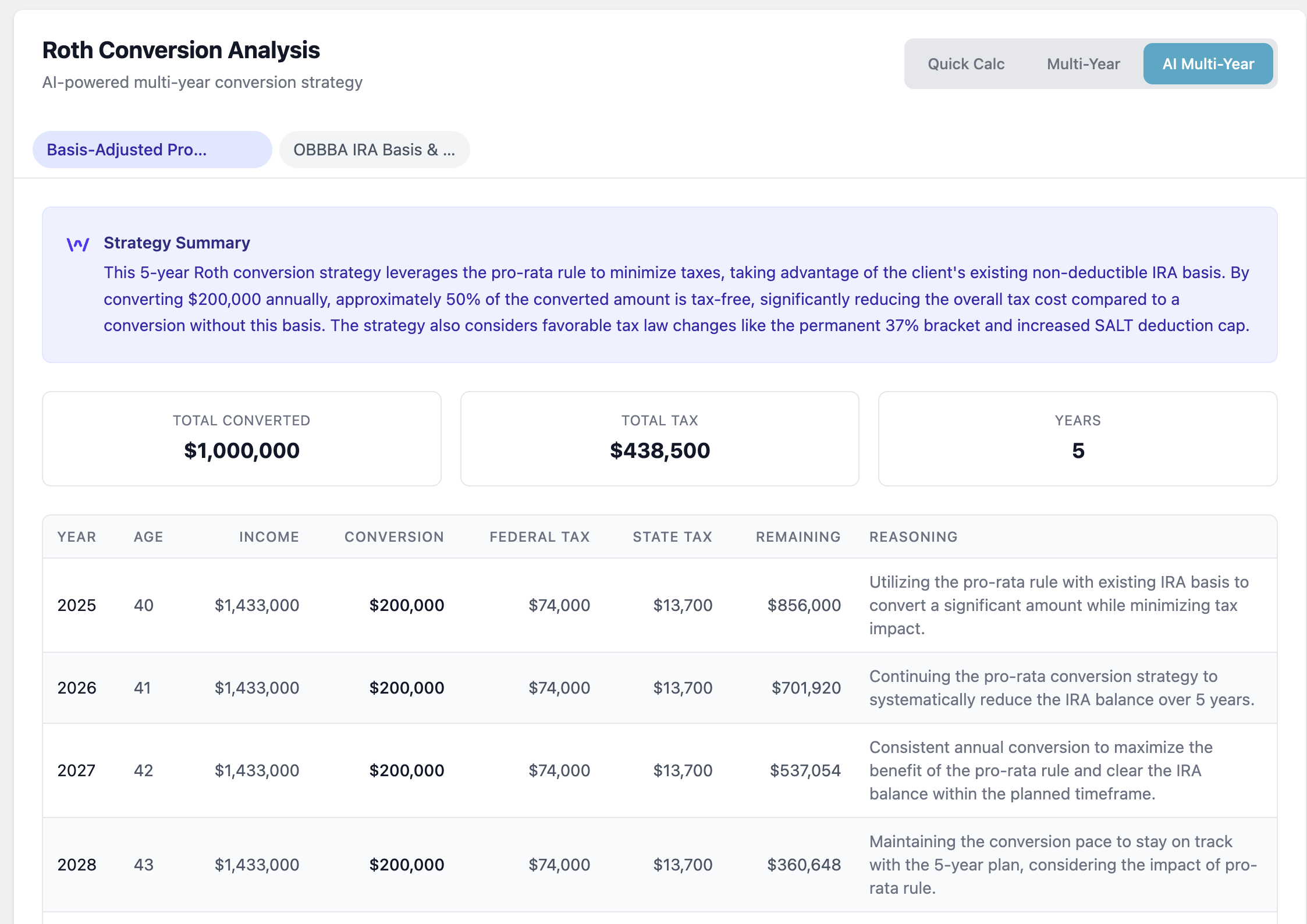
Change the time horizon, add an heir's likely income trajectory, or play with IRMAA brackets. Worthy can work with practically any variable that might impact a client's tax plan. Worthy is also happy to show its work, which makes it easy to explain your ideas and projections to clients and their CPAs.
Build reports as you go
Note: Some users may not have access to this feature.
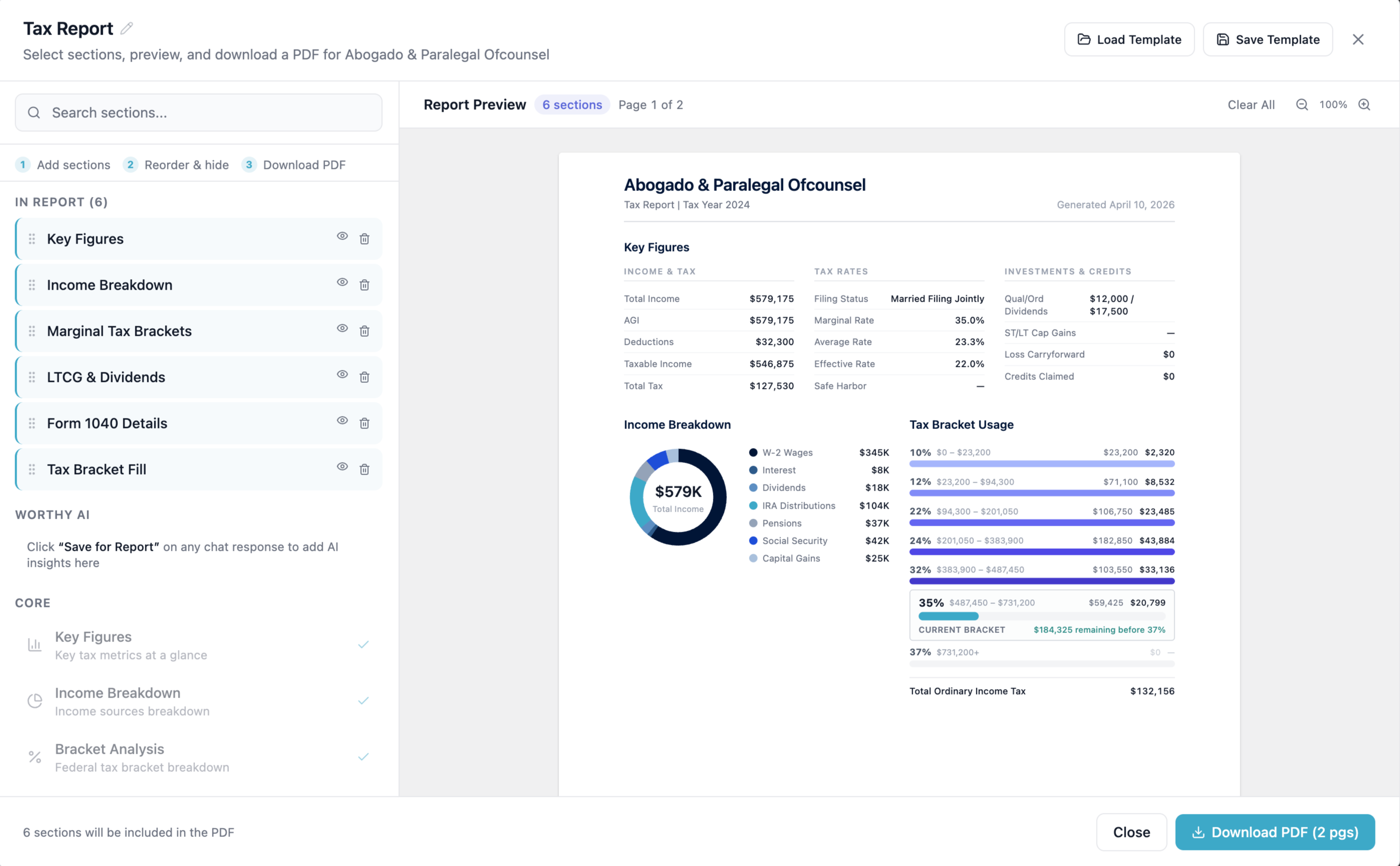
One of the smartest habits you can develop in Worthy is using the "add to report" button in real time, instead of at the end of a session. Whenever Worthy produces something worth sharing — like a Roth conversion model, a dashboard chart, or the explanation of a complex concept — you can add it to the report on the spot.
By the time you're done with exploring a client's tax opportunities, you'll already have a client-ready deliverable assembled. All that's left is ordering it the way you'd like and reviewing it for accuracy before you share it.
Run cross-book queries regularly
Advisors spend most of their time in Worthy looking at individual clients. But cross-book queries give you a way to identify opportunities at scale.
Instead of performing client-by-client analysis, a single cross-book query can proactively identify who's most affected by a tax law change, who's at risk of an IRMAA surcharge, or which clients are prime candidates for a Roth conversion this year.
Get into a regular rhythm of asking about things like which clients could benefit the most from a Roth Conversion, or jump into Worthy whenever you hear about a new strategy or a tax law change.
A query like "Which clients are likely to be most impacted by tax changes in the new OBBBA tax laws?" can help you offer guidance more proactively, while avoiding fire drills down the road.
Use Worthy to strengthen your CPA relationships
Worthy isn't just useful in client conversations. It can help you communicate more effectively with the CPAs and tax preparers your clients work with too.
Whether you're communicating directly with a CPA or through a client, ask Worthy to write a quick summary of a topic you're exploring to prepare you to discuss your ideas. You can ask it to include things like potential short and long term impacts — or to surface relevant parts of the tax code to help the CPA do their own research.
These summaries can be added to your reports or you can use them to help write emails. You can even ask Worthy to write a first draft of your emails for you.
However you get there, better communication with your clients' other advisors will lead to better results for the client — and it might even win you some referrals down the road.
Double check your work
Worthy is designed to be accurate and compliant. It has built-in validation workflows and guardrails that have been stress-tested by some of the largest wealth managers in the country. However, it's ultimately your name on any of the ideas or projections you share with clients.
Review Worthy's output before sharing it, and don't hesitate to add your own context or perspective. The best planning will happen when you combine Worthy's analytical horsepower with your personal knowledge of the client.
Log in to get started, or schedule a demo to see what Worthy can do with your own client book.